Tab ATHENA Modeling > Group Data > Edit processing
Menu:
Modeling > Manage > Edit processing
Toolbar:
ATH Manage > Edit processing
Command input:
ath_hole
Using this function you can create, edit and save 2D processes.
A 2D process is a two-dimensional display of one or more operational steps. These may be drilled holes, cutting operations, milling, etc. which can be combined to form one working step. Saved processes can be used for the processing of infills and sheet developments.
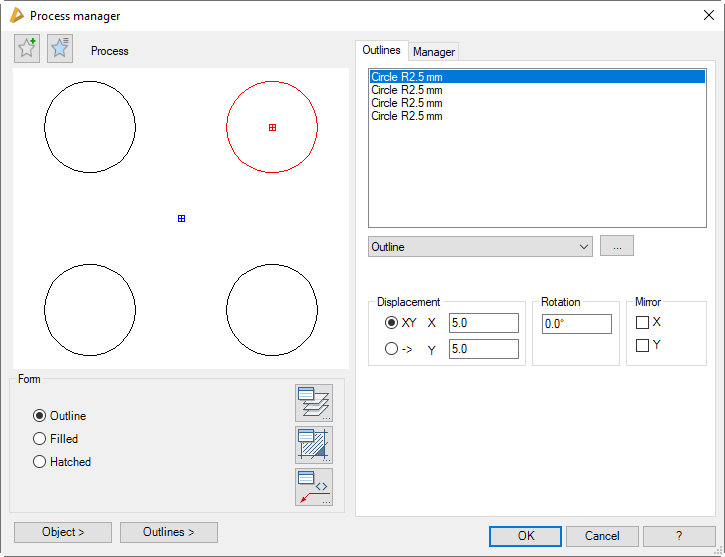
Dialog box Process manager
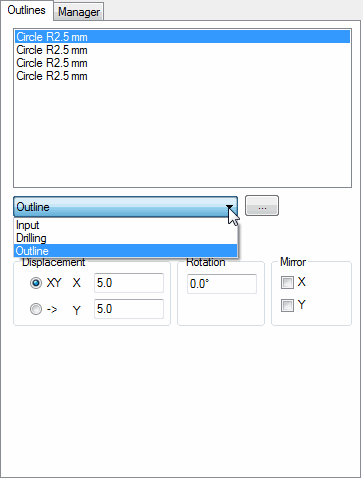
In the dialog box you will find on the left side the display section with the dynamic preview. On the right side you can see the operating section with the tabs Outlines and Manager.
db_ath_hole
Display section
At the top left there are two buttons for favorites. You will find further information on this in the section Saving and using favorites.
The preview is primarily intended for visual checks and shows the process with the set properties.
Dialog box section Display
Outline
Creates a process with external outline without infill.