Tab ATHENA > Group Drawing > Generating a section from 2D
Menu:
ATHENA > Drawing > Generating a section from 2D
Toolbar:
ATH Drawing > Generating a section from 2D
Command input:
ath_elem_cs
Generates a section through a facade element or a frame element.
In the selected view the section line is drawn as a Section symbol. Along with the section, the section designation is inserted. The section is associatively linked to the selected view.
If you delete the section symbol or the section designation, the section loses its associative link to the view.
When you start the command, the following appears:
Input request
Select element or [Settings/?]:
Select an element to generate a section from it.
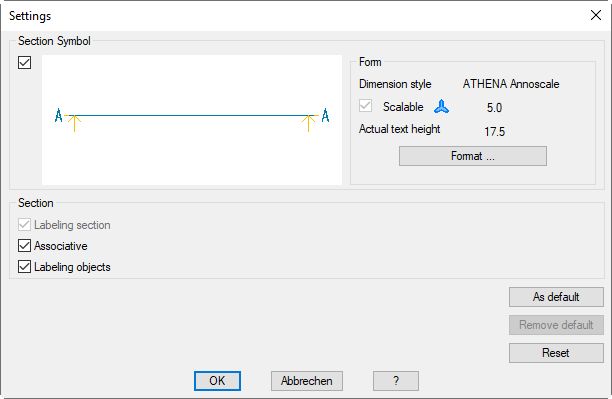
Select the Option Settings to change the settings of the section symbol.
With the option ? you call the help.
Specify first point of the section line:
Use the mouse or enter coordinates to specify the starting point of the section line.
Specify second point:
Use the mouse or enter coordinates to specify the end point of the section line.
Confirm direction [Invert/?]:
Press the Enter key to adopt the stated direction.
The orientation of the section occurs in dependence of the direction (note the arrow direction of the section symbol) and the element view (viewed from outside or inside).
With the option Invert you modify the viewing direction of the section.
Position section:
The section is now attached to the cross-hair for you to define the insertion point of the section.