Transfer bar arrangement
|
Ribbon:
|
Tab ATHENA Modeling > Group Apply > Transfer bar arrangement
|
|
Menu:
|
Modeling > Apply > Transfer bar arrangement
|
|
Toolbar:
|
ATH Apply > Transfer bar arrangement
|
|
Command input:
|
ath_c3d_bar_bgr_copy
|
Transfers (copies) an arrangement of processes or assemblies from one
bar (source) to several other bars (targets).
Arrangements are only transferred to identical bars. Non-identical bars are ignored.
|
Arrangements on the target bars which are not present on the source bar are removed.
When you select a bar without an arrangement as the source, arrangements present on the target bars are removed.
|
When you execute the command, the following appears:
Input request
Select bar or [?]:
Select a source bar with one or more associative assemblies or processes:
With the option ? you call the help.
The
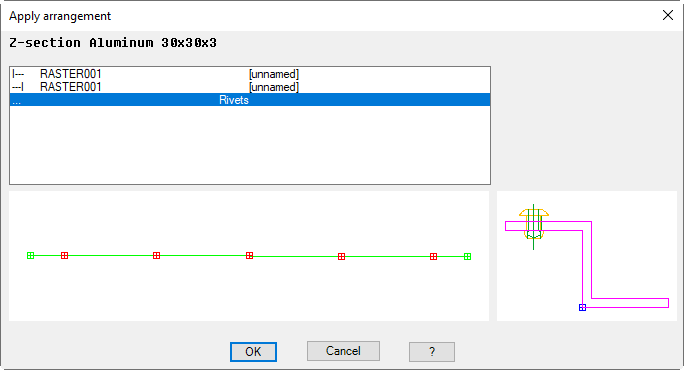
Dialog box Apply arrangement is started after the object selection.
Dialog box Apply arrangement
db_ath_bar_bgr_copy
From the list of arrangements, select the one which you want to transfer to other bars and close the dialog box with OK.
A further input request follows:
Select objects:
Choose one or several bars for transfer of the assembly or process.
Related commands: