Apart from the well-known grips many ATHENA objects can be processed with additional grips.
Grip shapes
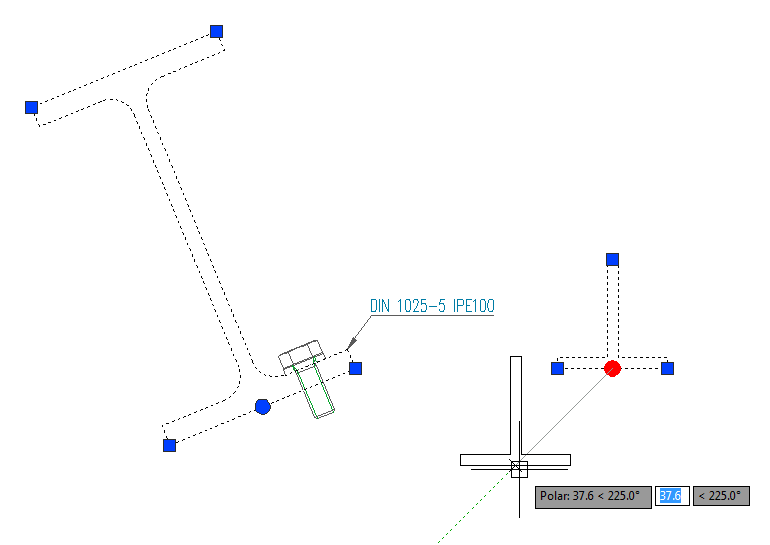
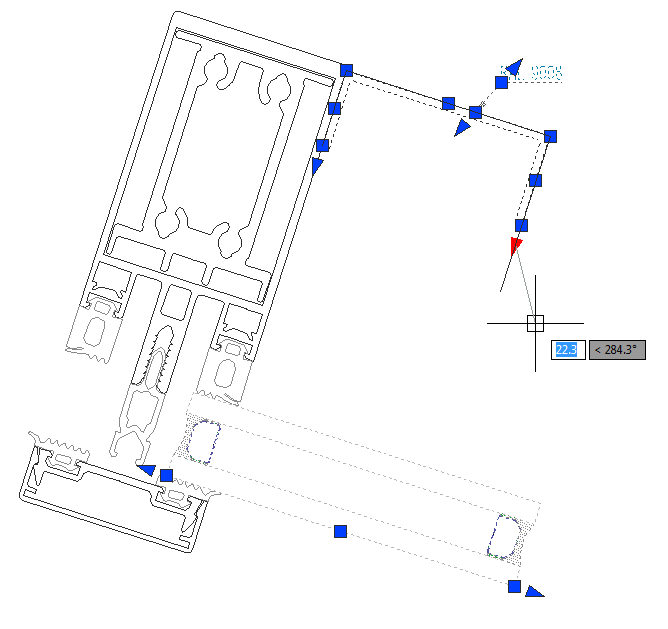
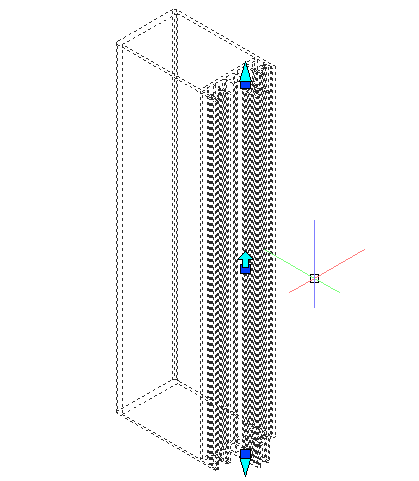
In contrast to the familiar square grips the additional grips have a different shape:
• Round grip: For moving objects. Available for standard profiles and semi-finished products in the base point. For welded seams, the round grip is used to rotate the welded seam section.
• Triangular grip: For stretching objects without changing the direction. Available, for example, with sheet metal, leaders and welded seams.
• Arrow-shaped grip: For mirroring of bars and welded seams (cross sections).
grip_move
Round grip for moving objects.
grip_linear_stretch
Triangular grip for the linear stretching of objects
grip_mirror
Arrow-shaped grip for mirroring bars
Grip functions
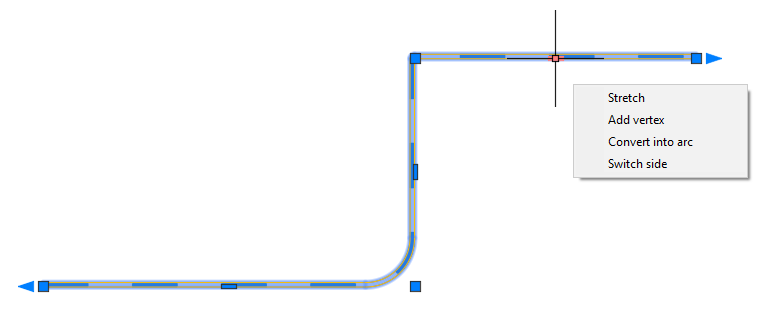
When you move the cursor over a grip, a context menu with further editing functions analogous to AutoCAD polylines is displayed.
gripedit_context
Grip editing context menu
Context menu functions:
Stretching (vertex stretching)
Extends or shortens the object or segment in a specific direction.
Add apex
Adds an additional apex (grip). The added grip is active so that you can stretch it directly to the desired location.
Remove apex
Removes an apex. Individual adjacent segments are removed. Adjacent segments are replaced by a new segment.
Convert into arc
Converts a linear segment into an arc-shaped segment.
Convert into line
Converts an arc-shaped segment into a linear segment.
Switch side
Changes the side on which the material is located (for example, the wall thickness in the case of sheet metal sections).
Add leader line
Appends a leader line. This option is only available for labels (Leader, Parts labeling, etc.).