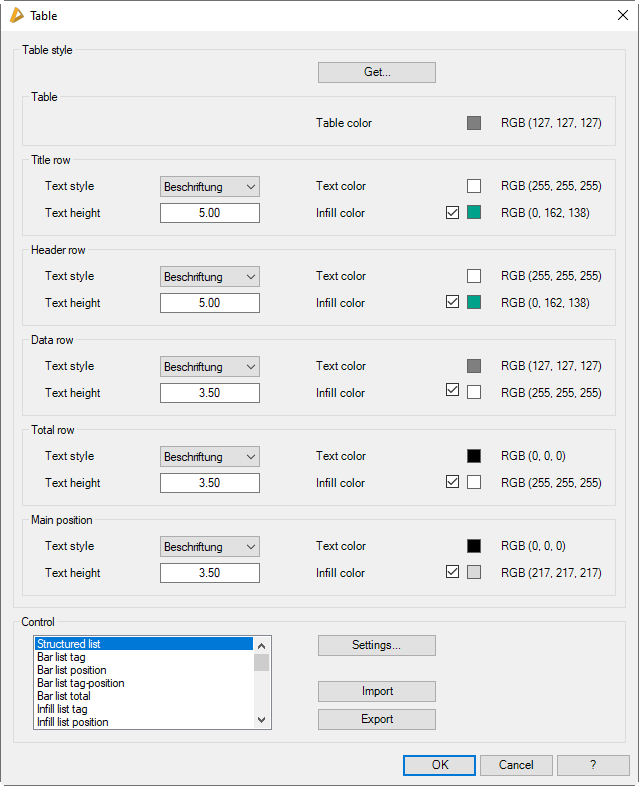
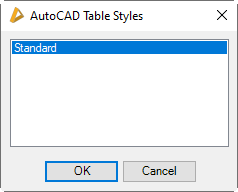
Opens the dialog box AutoCAD table styles where you can select existing tables to import their properties:
db_ath_optionen_table_select
Here all tables available in the drawing are listed. Choose the required table from the list and terminate the dialog box with OK.
Dialog box section Title row, Header row, Data row, Total row and Main position.
Here, you define text settings for the relevant row style.
Text style
Defines the text style for the corresponding text row
Text height
Defines the text height for the corresponding text rows.
Text color
Defines the text color for the corresponding text rows.
Infill color
Defines the infill (text background) color for the corresponding text rows.
Dialog box section Control
Settings
Activates the Dialog box Settings table, where you can carry out further settings for each output type.
Import
Imports table settings from a *.dex file.
Export
Exports table settings to a *.dex file.
Only table style overwrites are saved in the *.dex file. When importing, only the settings for the table types saved in the file are accepted. Existing overwrites for other table types are retained.