Opens the Dialog box Label. You will find further information on this in the Chapter Label.
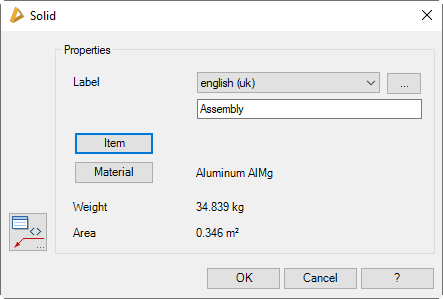
Dialog box section Properties
Designation
Here you can specify a language-dependent label for solids. You select a language from the list and add the appropriate text in the line below. You proceed like this for each language.
[...]
Opens the Dialog box Designation, where you can conveniently enter the label in several languages.
Opens the Dialog box Item, where you can select an item number. You will find a detailed explanation on items in the Chapter Item.
Weight
Shows the determined weight of the solid, which is calculated from the volume and the material. The prerequisite is that the density of the material be known.
Area
Shows the determined area of the solid.
End of program
OK
Saves the current setting and terminates the dialog box.